
Arva SEO (formerly Bulk Meta Editor) has an awesome feature to easily edit in bulk your on-page SEO meta title and meta description and here’s how, skip to Step #4 if you have already installed and activated the plugin:
1. Install Arva SEO plugin
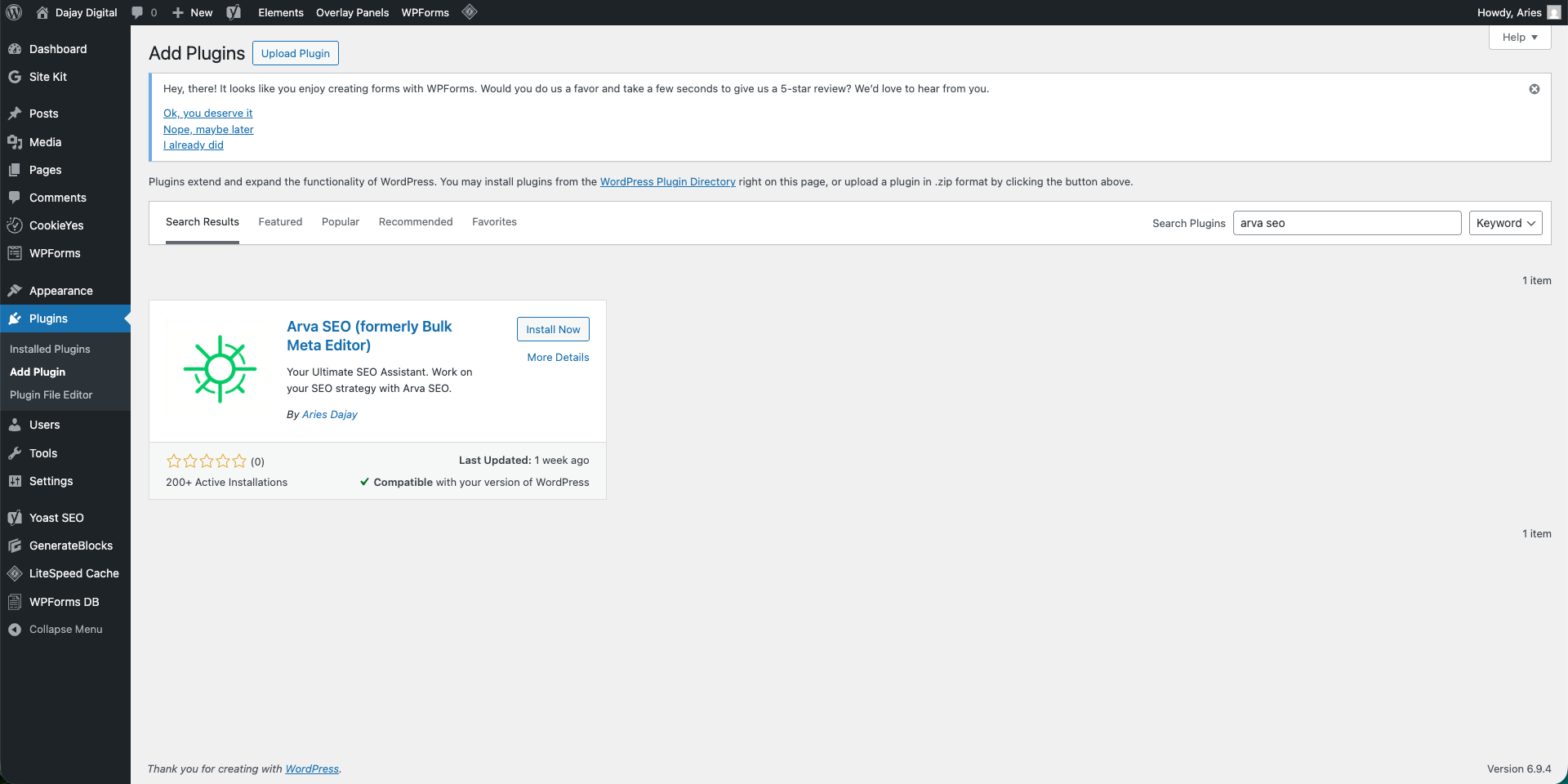
Login to your admin dashboard, Go to Plugins > Add Plugins and then search for Arva SEO. Click install once you see the plugin and activate.
2. Opt-in to Updates (optional)
To get the latest important update from Dajay Digital and plugin updates for Arva SEO, we recommend opting-in to updates, however, it is not required. You may Allow or Skip to continue with the plugin activation process
3. Activate License Key
You may choose a FREE license key or choose to get a professional license key to activate premium features of the plugin
4. Access Bulk Editing Settings
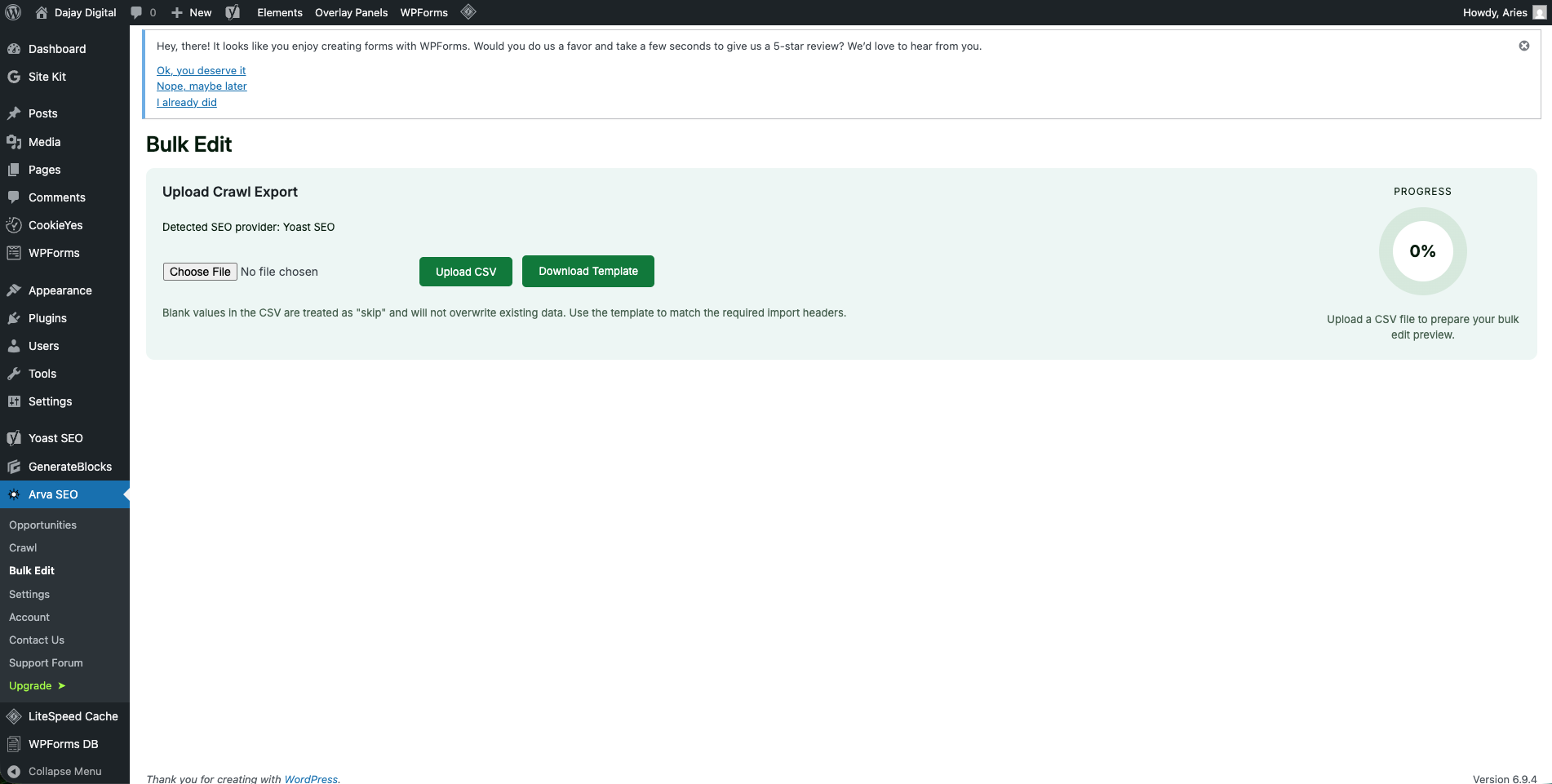
On your WordPress Dashboard. Go to Arva SEO > Bulk Edit. Download the template file to map the CSV data correctly to the required columns.
5. Format the CSV file before uploading. We recommend downloading the template
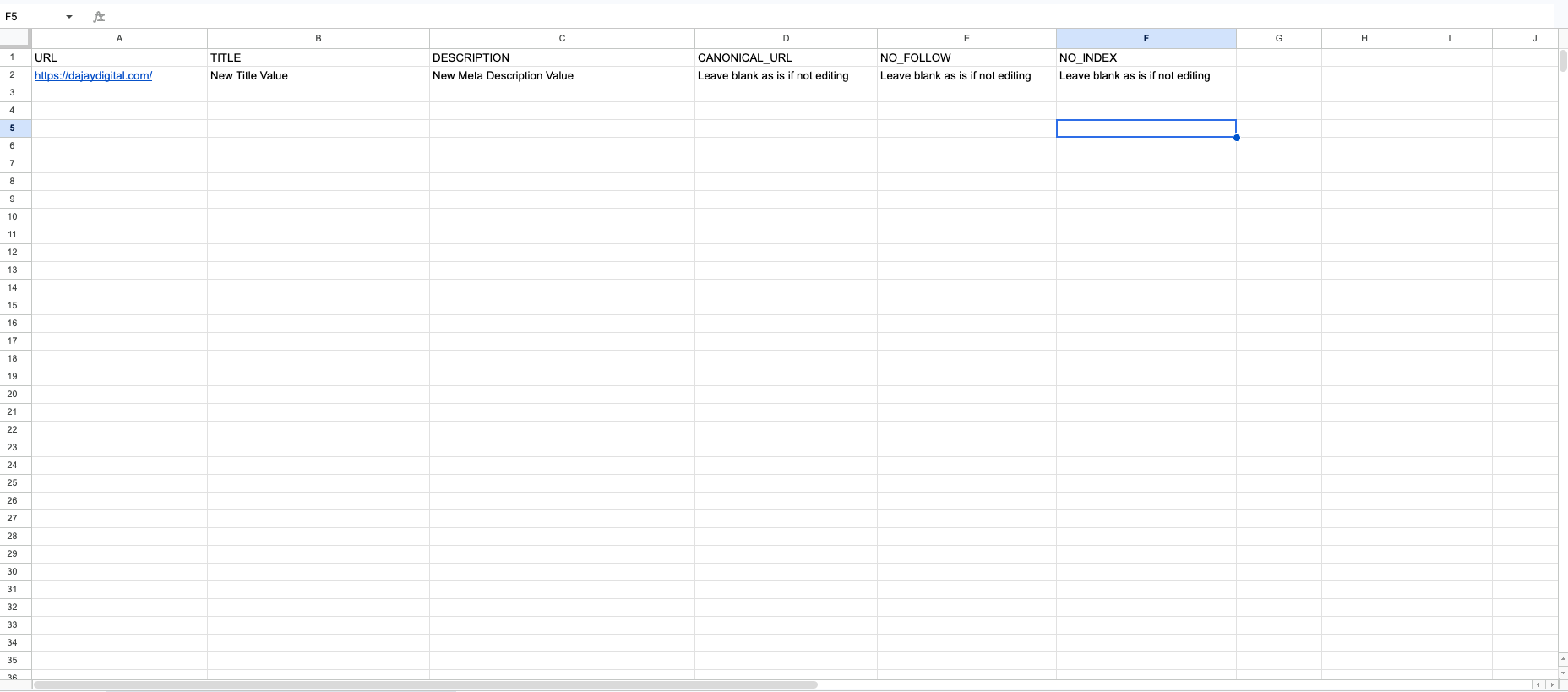
The template has the required header rows already. Do not edit the first row of the template, instead populate it with your data starting in the second row
The CSV file contains the following columns/headers: URL, title, description, canonical_url, no_index, and no_follow. It is required that you follow the order because that’s how this plugin reads the CSV file.
Tampering with the order may cause serious issues such as overwritten data which do not have the desired output. The plugin directly modifies the data on your site’s database.
URL – this is what you see on the address bar or from your SEO crawling tool. Should be a valid and complete address. For example, this page has a URL of https://dajaydigital.com/how-to-do-bulk-editing-in-arva-seo/
title – one of the most important meta data for SEO. So this is not the title you see on the page content, but the title you see at the top on the browser window beside the icon. For example, this page has a title of “How to Bulk Edit Arva SEO | Dajay Digital”. Recommended not to have more than 60 characters
description – another most important meta data for SEO. You don’t see this on the browser, but this is what search engines like Google parses to deliver a description on SERPs (Search Engine Ranking Pages). Recommended not to have more than 155 characters.
canonical – must be a valid URL address. Setting a canonical is like setting the main URL for that page to consolidate duplicate URLs.Learn more about it here.
noindex / nofollow – should be set to either true or false Learn more about the meta robots directive here.
WHEN YOU DON’T NEED TO CHANGE THE VALUE OF A PARTICULAR PAGE META, LEAVE IT BLANK TO AVOID CHANGING IT. THE CHANGES ARE PERMANENT
6. Upload the CSV file
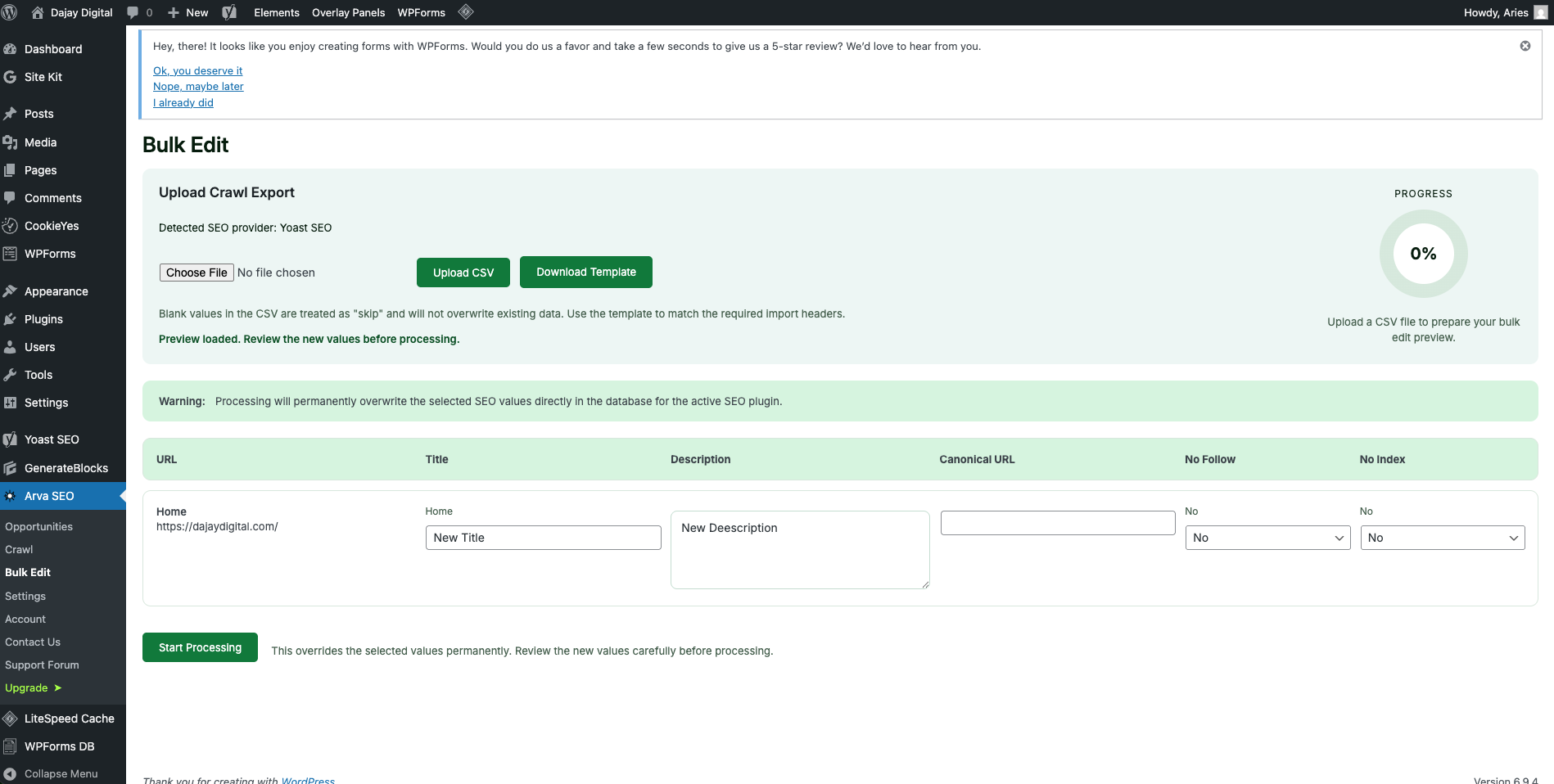
Once your done working and mapping the CSV file, download or export it as CSV file again and upload it to the bulk edit page of the plugin. You will see a preview of the changes you want to do. Then click Start Processing button once you are verify there are no errors.
7. Complete!
And that’s it! You have successfully bulk edited the changes! Verify the pages if the changes have been made.
THANK YOU FOR USING ARVA SEO! PLEASE LOOK AT THE PRO VERSION.